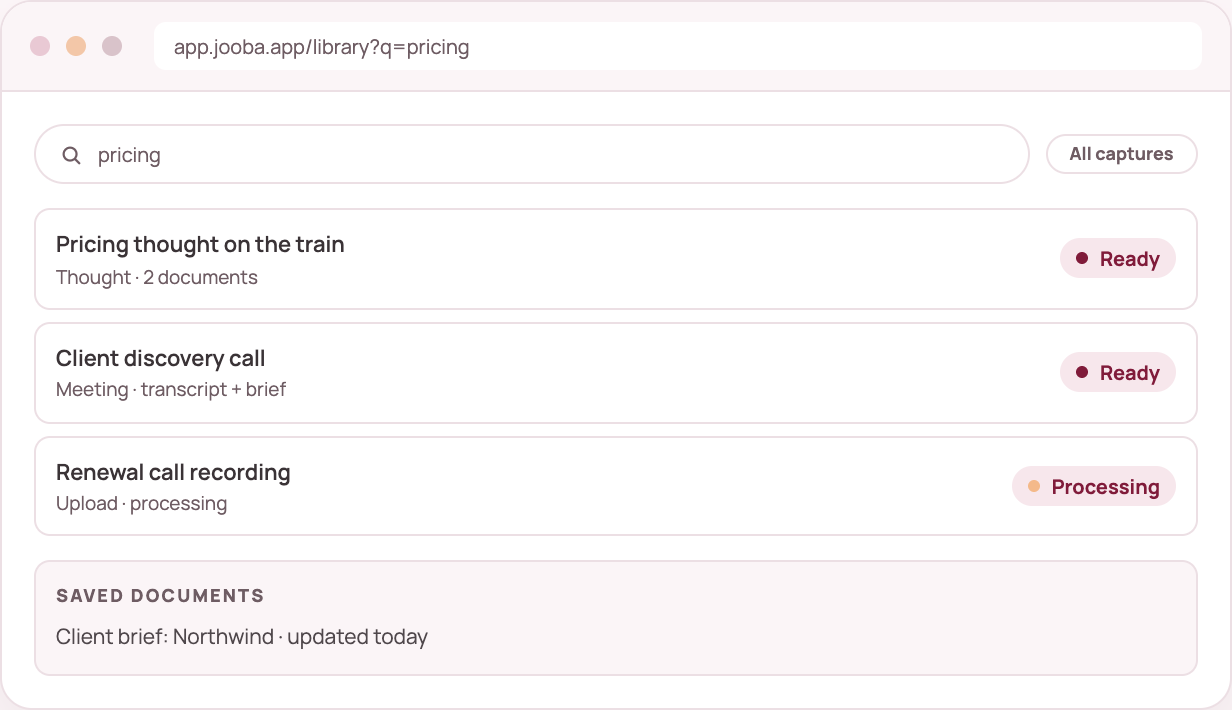
Finding things again
Find old recordings, transcripts, notes and documents without having to remember where each conversation happened.
What you get
✓ One library
Every capture and document in a single list you can filter.
✓ Search the words
Search transcripts and documents by what was actually said.
✓ Pick up where you stopped
Unfinished drafts and captures still processing come first.
✓ Private by default
Your library belongs to you. You choose what to share and when.
How it fits
01
A thought, an upload or a meeting.
02
Transcripts and documents stay in your library.
03
Find a conversation by something you remember being said.
04
Open the document instead of replaying the recording.
Good to know
Search covers transcripts, summaries and documents. Your records stay in your workspace until you delete them.
Still deciding? See what is included in each plan or start free and run one capture.
Search covers transcripts, summaries and documents. It does not search the audio itself.
Shared workspaces come with Business plans. Talk to us about how your team wants to work together.
Documents download one at a time today. You can ask us for a full account export.
Keep exploring
Voice Inbox
Daily capture
Meeting capture
Meeting assistant
Document Studio
Documents from conversations