Meeting assistant
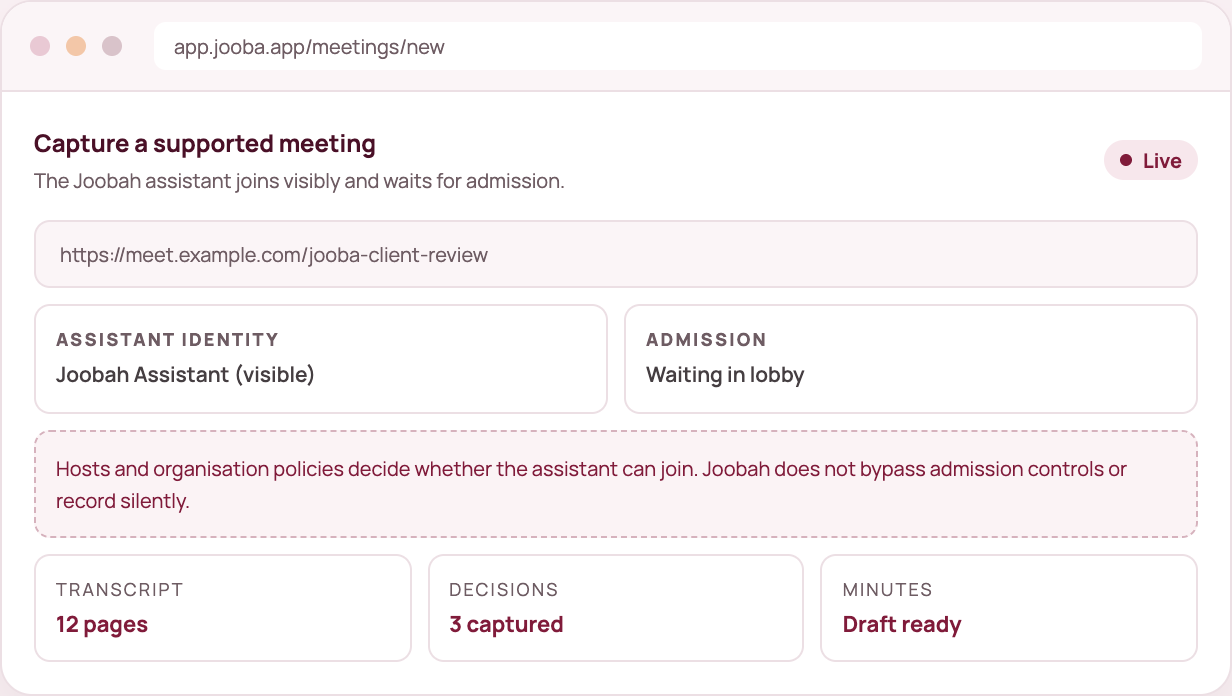
Joobah joins your online meetings as an assistant everyone can see, then turns the conversation into a record you can read, search and use.
What you get
✓ Capture from a link
Paste the meeting link, check who is attending and add the assistant.
✓ An assistant everyone can see
The Joobah assistant shows in the participant list and in the waiting room.
✓ Hosts stay in charge
The host and your organisation’s rules decide whether the assistant joins. Nothing is bypassed.
✓ Recording, transcript and notes
Follow the capture as it happens, then work from the transcript, summary and document.
How it fits
01
Google Meet, Microsoft Teams or Zoom, with everyone told it is happening.
02
It waits in the lobby, in plain sight, until the host lets it in.
03
Recording and processing progress shows in your workspace.
04
Get the transcript, decisions and next steps, ready to turn into minutes.
Good to know
Joobah never records a meeting in secret. The assistant is always visible, and if the host says no, the capture ends.
Still deciding? See what is included in each plan or start free and run one capture.
Google Meet, Microsoft Teams and Zoom all work from inside the capture screen.
The capture is cancelled and we tell you why. Hosts stay in control of their own meetings.
Yes. It is visible by design, and Joobah reminds you to tell everyone the meeting is being captured.
Keep exploring
Voice Inbox
Daily capture
Document Studio
Documents from conversations
Unified calendar
Work and life together