Documents from conversations

A transcript is only the start.

What matters is what you do with a conversation afterwards. Joobah turns your recordings into documents you can edit and send.

What you get

The detail behind the screen

✓ A format for every meeting

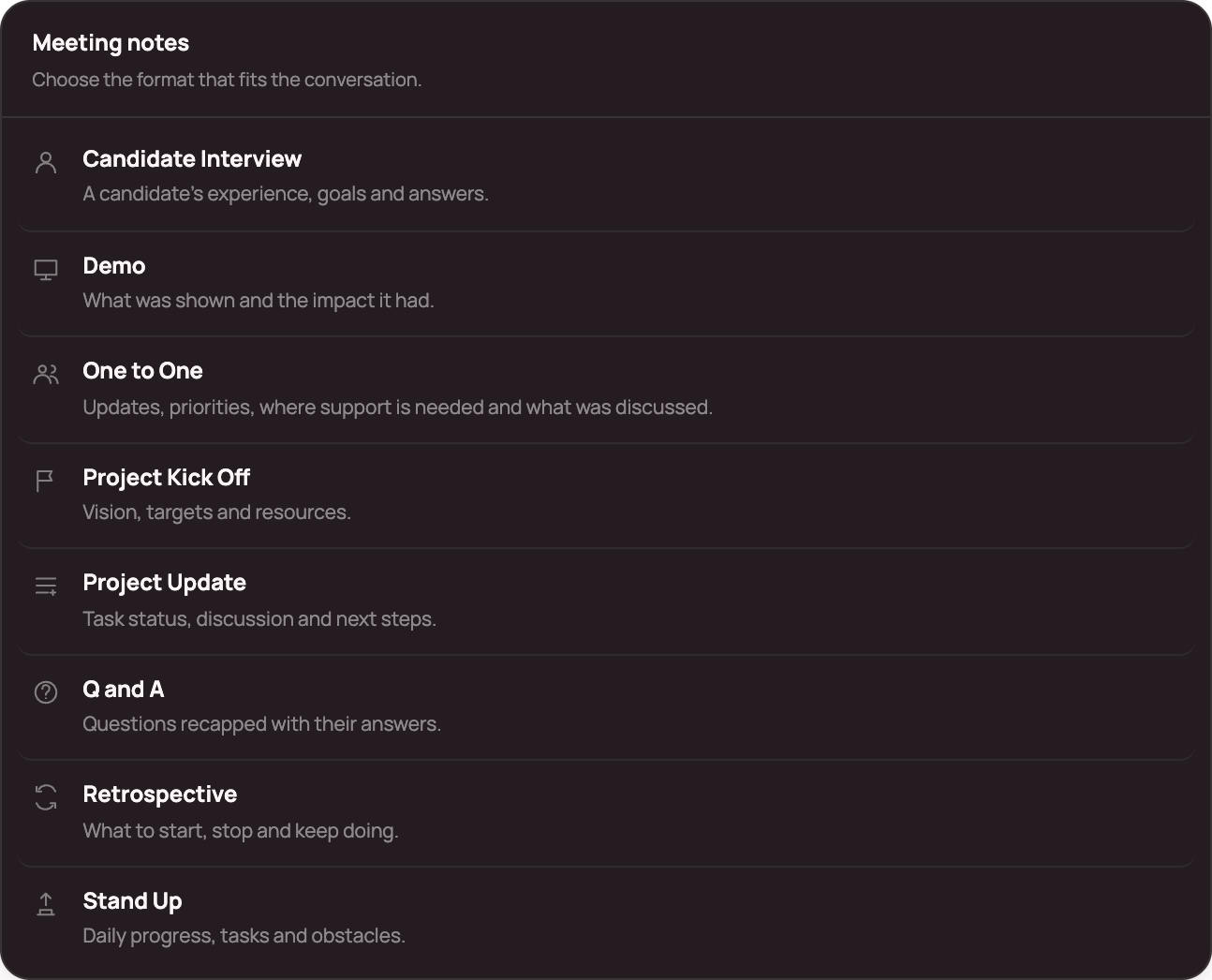
Candidate Interview, Demo, One to One, Project Kick Off, Project Update, Q and A, Retrospective and Stand Up, plus six document templates.

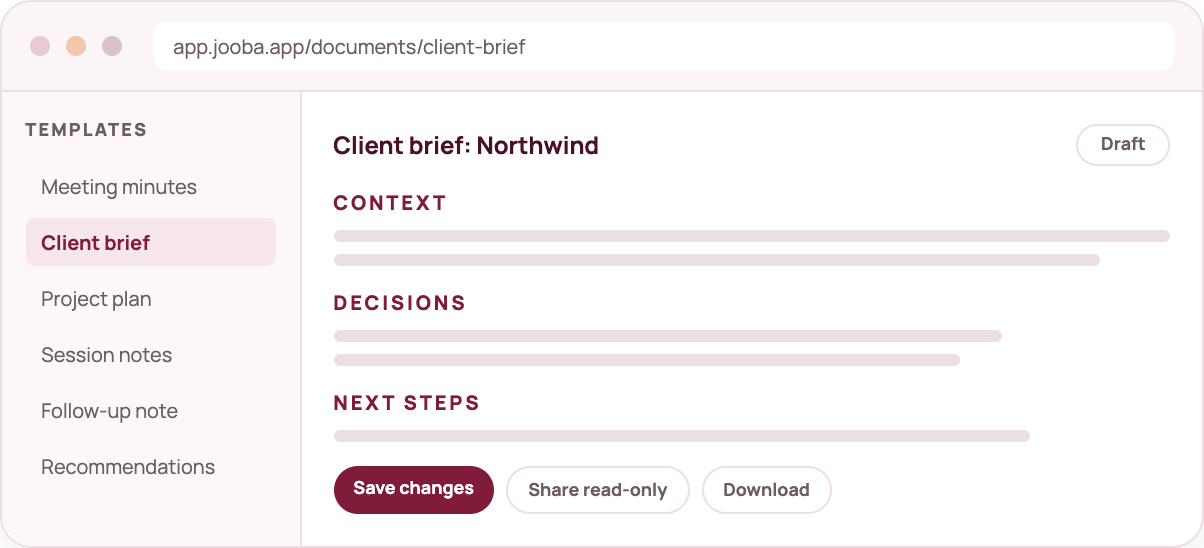
✓ Editable from the start

Every document opens as a draft with the cursor ready. Nothing is locked.

✓ Decisions and actions first

Documents are organised around what was agreed and what happens next.

✓ Share on your terms

Publish a read only link that shows the document and never the original recording.

mock document

Meeting note formats

The right structure for every conversation.

A stand up is not an interview, and a retrospective is not a project update. Pick the format and Joobah arranges the transcript to suit it.

  • Candidate Interview: experience, goals and responses.
  • Demo: what was shown and the impact it had.
  • One to One: updates, priorities and where support is needed.
  • Project Kick Off: vision, targets and resources.
  • Project Update: task status, discussion and next steps.
  • Q and A: questions recapped with answers.
  • Retrospective: what to start, stop and continue.
  • Stand Up: daily progress, tasks and obstacles.
mock formats

How it fits

Where this sits in the workflow

01

Choose the purpose

Minutes for the record, a brief for the client or a plan for the team.

02

Create a draft

Joobah arranges the transcript around the template you picked.

03

Edit it

Change the wording, add owners and remove anything that does not belong.

04

Save and share

Keep it in your library, download it or share a read only link.

Good to know

Every document is a draft that you approve. Joobah gets you most of the way there and you finish it.

Questions about document studio

Still deciding? See what is included in each plan or start free and run one capture.

Included in every planProduct of MedulaWorks Limited
Can I write a document without a capture?

Yes. Start a document from the composer and write it from scratch.

Can I share with someone who has no account?

Yes. A read only link shows the document only, never the transcript or audio.

Can I export?

Yes. Documents download as markdown from the document screen.

Which meeting note formats are included?

Candidate Interview, Demo, One to One, Project Kick Off, Project Update, Q and A, Retrospective and Stand Up. Each one arranges the transcript to suit that kind of conversation.
Keep exploring

Daily capture

Meeting assistant

Work and life together